
1Transaction Processing
Option 7Generate Recurring Entries
Use this function to generate journal entries for those items defined in the Recurring Entries master file. The following processing steps accomplish this job.
- Step 1This function accesses the Parameters file, displays an error message if the Parameters record is not on file and checks to see if recurring entries have been generated.
The screen shown below allows you to enter a control number to be used when generating recurring journal entries.
Generate Recurring Billings screen
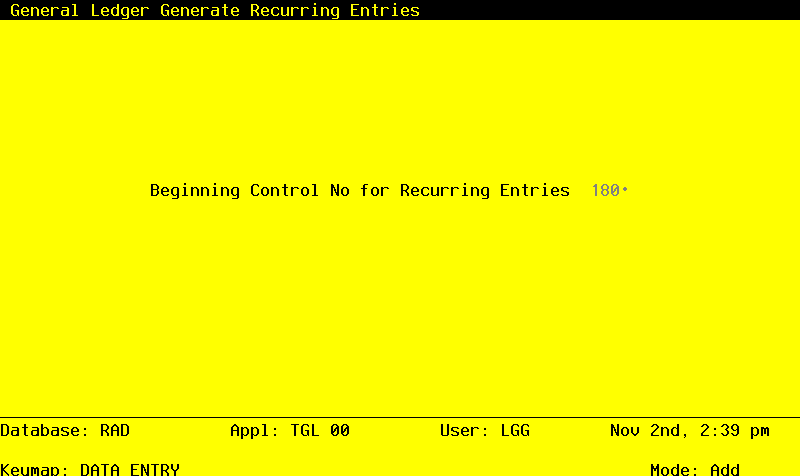
Data items for the preceding screen are described below:
- Beginning Control No
Positive number, up to 4 digits
A sequential number is supplied to identify this group of entries. This number will be reflected on journals and other reports throughout General Ledger. Although it is not necessary that this number be exactly sequential, the number itself is important as a part of your audit trial.
Press ENTER to save the information on this screen.
- Step 3In preparation for performing a sort/selection process on the Recurring Entries information, this step provides sequencing of data records by Currency, with no option to change the sequence at run time.
- Step 4This disposition type is used for all standard processing functions within General Ledger.
- Step 5According to previously specified criteria, this step actually performs the desired selection and/or sorting process.
- Step 6This step processes the information for Recurring Entries and Recurring Entry Items. Under certain conditions, records in the Journal Entry Control Groups, Journal Entries and Journal Entry Items files will be added. Updates to certain fields in the Recurring Entries and Journal Entry Control Groups files will occur. Generalized routines are performed to convert foreign currency to domestic in General Ledger.