
Chapter 5: Application Security Management
Files Security
When you select the Files option from the Database Security Management overlay, a screen appears with a list of all files in the selected application as shown in Figure 5-4.
Files Security Definition screen
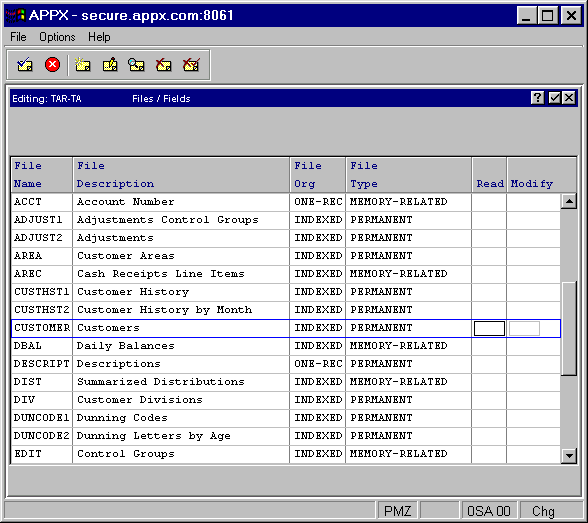
The following fields are available for input:
- Read
Specifies the security code that must be included in a user’s profile for the user to see the contents of unsecured fields in this file.
- Modify
Specifies the security code that must be included in a user’s profile for the user to modify the contents of unsecured fields in this file.
If these fields are blank, fields in this file are not secured unless domain or field level security is present. To enter security at the field level, select the file and press ENTER.