
Chapter 2: System Administration
FMS Controls Overlay for APPX/Net
If you select the FMS Group Attributes option in File System Groups File Maintenance for a file system group with FMS type 7, the FMS Controls overlay for APPX/Net appears as shown in Figure 2-22 below.
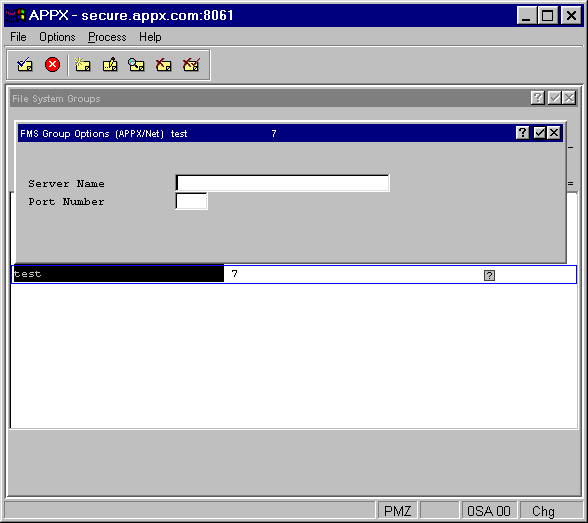
Before defining FMS Controls for APPX/Net files, be sure to remove the FMS Path, as this field is not used. The APPX/Net overlay contains these fields:
- Server Name
Indicates the name of the server on which the file system resides.
- Port Number
Corresponds to the port number on which appxd (the interface between server and client) is running.