
Chapter 2: System Administration
Identities Detail Overlay
The Identities Detail overlay accessed from the Identities overlay in File System Groups File Maintenance is shown in Figure 2-24 below.
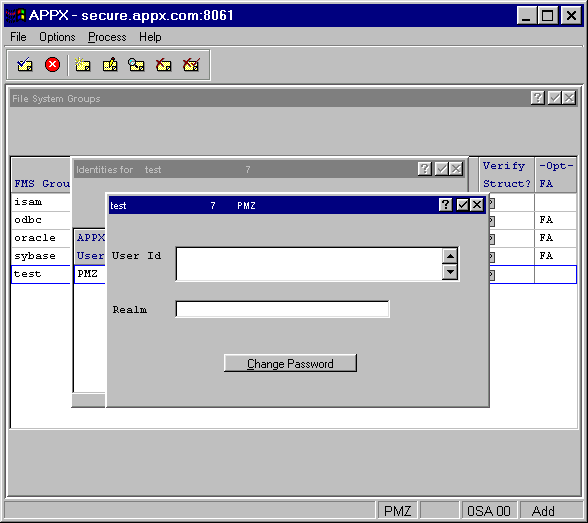
The Identities Detail overlay consists of the following fields:
- User ID
Provides an alternate User ID for this identity when files in this FMS Group are accessed by the specified user. If left blank then the “O/S Login ID” field defined in Users File Maintenance for this user will be used. Likewise, if this identity’s password is left blank, the user’s “Auxiliary Password” is used.
- Realm
Can be used for systems such as NT where more than one authority (domain) may authenticate a user.
The overlay also contains this option:
- Change Password
Defines the password to be used in conjunction with the User ID when accessing files under this FMS Group.