
6Check Processing
Option 5Checks Printing
This job prints the previously generated check records. This function will incorporate any changes made during the ‘Checks Revision/Approval’ process. Also use this function for printing checks designated as “Reprint” in the checks Approval/Revision process. Checks to reprint should be a contiguous range of check records. The following processing steps accomplish this job.
- Step 1This function is used to enter the Checks Printing Operator ID and Control Number to identify the group of checks to be printed.
On the following pages, the screen displayed by this function is shown.
The screen shown below allows you to select the control group of checks to print.
Checks Printing screen
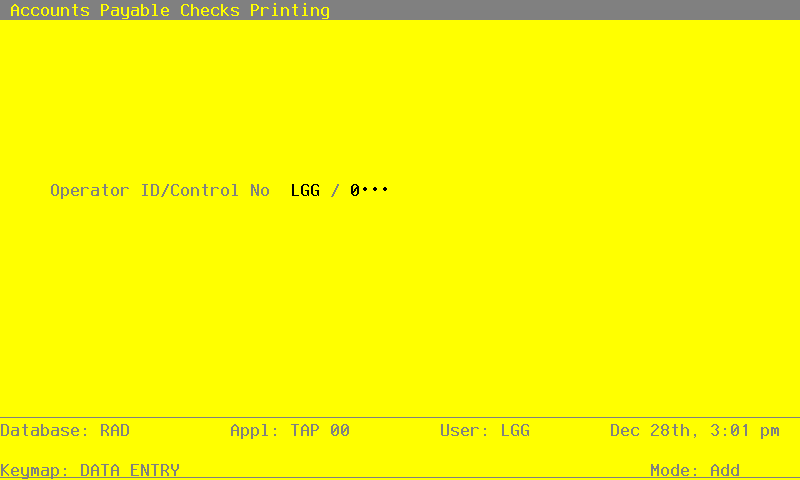
Data items for the preceding screen are described below:
- Operator ID
Upper case, up to 3 characters Required Scan available Carries forward in ADD mode
The system displays the operator ID entered at logon. To create the checks using a different operator Id or to print another operator’s group of checks, change this field.
- Control No
Positive number, up to 4 digits Scan available
A sequential number is supplied to identify this group of checks. This number is printed on the journal, tracked on the Transaction Control file, and if General Ledger is part of your system it is posted to General Ledger for detail accounts. Although this number need not be exactly sequential, the number itself is important as a part of your audit trail.
For check printing, supply the number of the control group you want to print.
The entered data is validated. During validation, including access to other files, conditions may be found which cause messages to be displayed. Errors (E), Warnings (W), and Messages (M) that may result are shown below:
Press ENTER to display system-supplied information and then press ENTER again to save the information on this screen.
- Step 2In preparation for performing a sort/selection process on the Disbursements information, this step provides sequencing of data records by Transaction Number, with no option to change the sequence at run time. Selection of data records is provided by Operator ID, Control No and check Status, with no option to enter selection criteria at run time.
- Step 3This disposition function is used when printing checks.
- Step 4According to previously specified criteria, this step actually performs the desired selection and/or sorting process.
- Step 5This step prevents CANCEL from canceling the current job.
- Step 6In order to print the report requested, this step formats the Disbursements and Disbursements Line Items information. The following data items are shown: Vendor, Check Date, Check Control Number, Apply to, Invoice Date, Description, Dr Liability, Checks Adjustment Amount and Checks Payment Amount.