
2Monthly Processing
Option 91099 Forms
This job prints the IRS form 1099-MISC. The following processing steps accomplish this job.
- Step 1Use this function to enter the year and Federal ID number for the 1099 forms.
On the following pages, the screen displayed by this function is shown.
1099 Forms screen
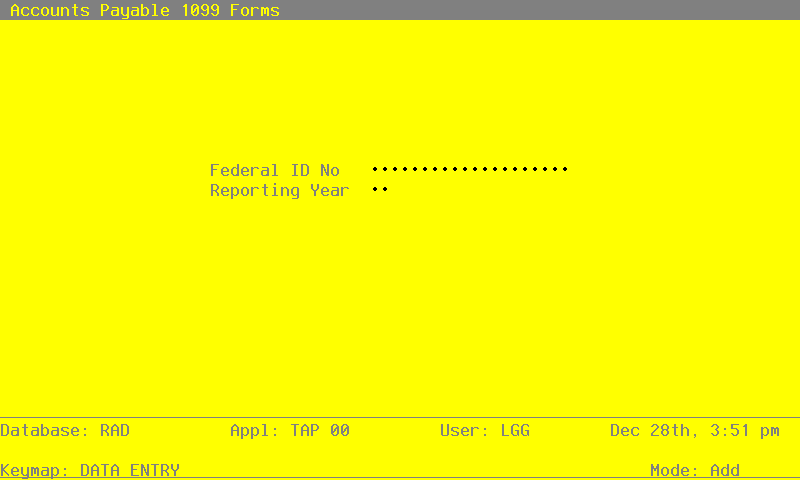
Data items for the preceding are described below:
- Federal ID Number
Alphanumeric, up to 20 characters Required
Supply the Federal ID Number to use for printing 1099 forms.
- Reporting Year
Positive number, up to 2 digits
Specify the year for which 1099 forms are to be printed.
The entered data is validated. During validation, including access to other files, conditions may be found which cause messages to be displayed. Errors (E), Warnings (W), and Messages (M) that may result are shown below:
Press ENTER to save the information on this screen.
- Step 2In preparation for performing a sort/selection process on the Vendors information, this step provides you with a default sequencing of data records by Vendor Alpha and Vendor, giving additional sort order choice by Vendor Type, with the option to change modifiable parameters at run time. Selection of data records is provided by Vendor Alpha, Vendor, Vendor Type and Tax Identifying Number, with the option to enter user-specified comparisons at run time.
- Step 3This disposition function is used when printing 1099 forms.
- Step 4According to previously specified criteria, this step actually performs the desired selection and/or sorting process.
- Step 5In order to print the 1099 Forms Report, this step formats the Vendors information. The following data items are shown: Company Name, Address, Federal ID Number, Tax Identifying Number, Name, Address, Disbursements, City, State and Zip Code.