
6Check Processing
Option 10Clear All Checks and Restart
This function allows you to cancel and delete all unposted check records for a specified control group and prepares the system for restarting the cycle. If you encounter problems or situations during the check processing cycle which require numerous revisions, you may want to restart the cycle to eliminate further potential problems. The following processing steps accomplish this job.
- Step 1Use this function to enter the Operator ID and Control Number of the check processing records to be cleared in order to restart the check processing cycle. This capability allows the operator to go back to the beginning of the check printing cycle. All non-posted records and selections will be cleared and prepared for the start of a new non-posted records and selections will be cleared and prepared for the start of a new cycle. If problems are encountered during a check cycle that are unreconcilable by normal means this process should be run. This function can be used for both control groups with unprinted and printed checks. If this function is used for printed checks you may wish to use the Void Check Stock utility to designate your used check stock as ‘VOID’.
When this function is complete, your next step would be to either reprint the Cash requirements report or to go straight to Checks Creation.
On the following pages, the two screens displayed by this function are shown.
The screen shown below allows you to select the control group of checks to clear and restart. This can be done anytime prior to posting the checks.
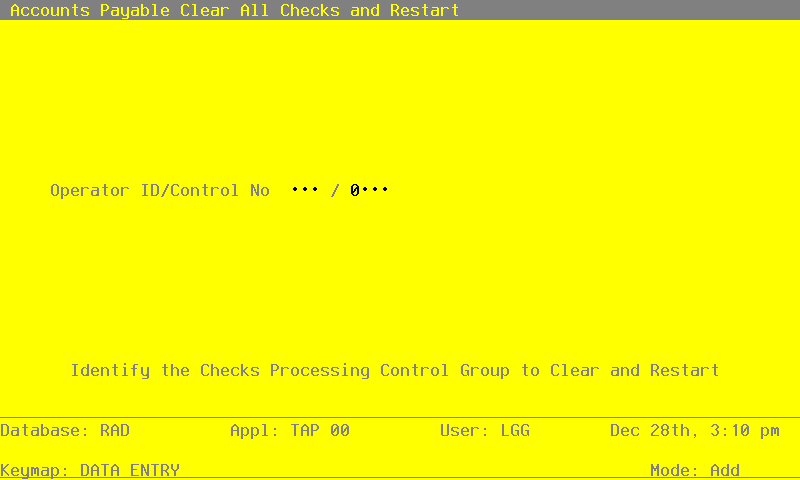
Data items for the preceding screen are described below:
- Operator ID
Upper case, up to 3 characters Letters and numbers only Required Scan available
Enter the Operator ID of the control group of check records that are to be cleared and prepared for a check cycle restart.
- Control Number
Positive number, up to 4 digits Scan available
Enter the Control Number of the control group of check records to be cleared and prepared for a check cycle restart. The system displays the description of the control group so you may verify your entry.
The entered data is validated. During validation, including access to other files, conditions may be found which cause messages to be displayed. Errors (E), Warnings (W), and Messages (M) that may result are shown below:
Press ENTER to display system-supplied information and then press ENTER again to continue to the next screen.
The screen below asks you to verify that you wish to clear and restart the check cycle.
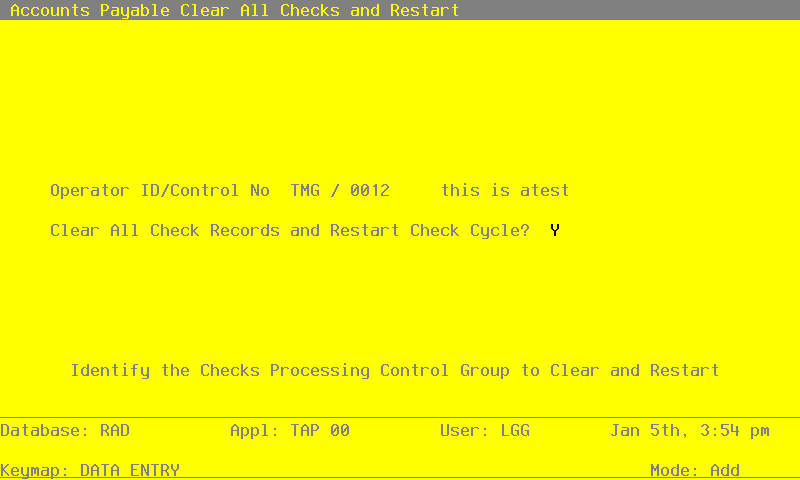
Data items for the preceding screen are described below:
- Clear All Checks and Restart?
Y or N Default Y Required
Enter ‘Y’ to clear all check records and prepare for the check cycle to be restarted. Enter ‘N’ to discontinue this process.
The entered data is validated. During validation, including access to other files, conditions may be found which cause messages to be displayed. Errors (E), Warnings (W), and Messages (M) that may result are shown below:
Press ENTER to save the information on this screen.
- Step 2In preparation for performing a sort/selection process on the Disbursements Control Groups information, this step provides sequencing of data records by Operator ID, with no option to change the sequence at run time. Selection of data records is provided by Control Number, with no option to enter selection criteria at run time.
- Step 3This disposition type is used for all standard processing functions within Accounts Payable.
- Step 4This step prevents CANCEL from canceling the current job.
- Step 5According to previously specified criteria, this step actually performs the desired selection and/or sorting process.
- Step 6This step processes the information for Disbursements Control Groups, Disbursements and Disbursements Line Items. Under certain conditions, records in the Outstanding Checks file will be added. Updates to certain fields in the Disbursements Control Groups, Vendors and Unpaid Invoices files will occur. Records in the Disbursements Line Items, Disbursements and Disbursements Control Groups files will then be deleted.
- Step 7This function displays a warning to the operator if any errors were encountered during posting or processing.