
7Utilities and Special Edits
Option 2Purchase Price By Percentage
This function enters an across-the-board percentage price change for selected products supplied by a particular vendor or for selected product classes.
Select “Purchase Price By Percentage” from the Utilities and Special Edits menu. Here is a sample Price Changes By Percentage entry screen:
Purchase Price By Percentage screen
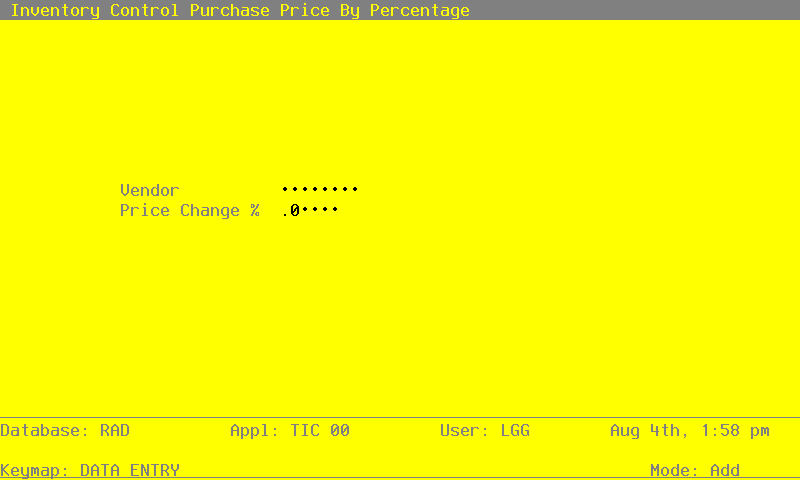
Data items for the preceding screen are described below:
- Vendor
Enter the number of the vendor supplying the product. If the Accounts Payable application is part of your system, this number must be on file in the Vendors file. You can use the Scan option to find an appropriate entry. The system displays the corresponding vendor name so you can verify your entry.
- Price Change %
Enter the percentage by which the vendor’s prices are to be changed. If the change is a percentage decrease, enter a minus sign before the percentage.
For example, if you enter ‘5’, then all products for that vendor in the Products By Vendor file will increase in price by 5%. On the other hand, if you enter ‘-5’, then all products for that vendor in the Products By Vendor file will decrease in price by 5%.
Once you have selected the vendor and price change percentage, press RETURN. The entered data is validated; press RETURN again to select products for price changes based on product class and product number.
After your selections are completed, press RETURN to update the Products By Vendor file.