
Chapter 1: General Information
Initial Setup
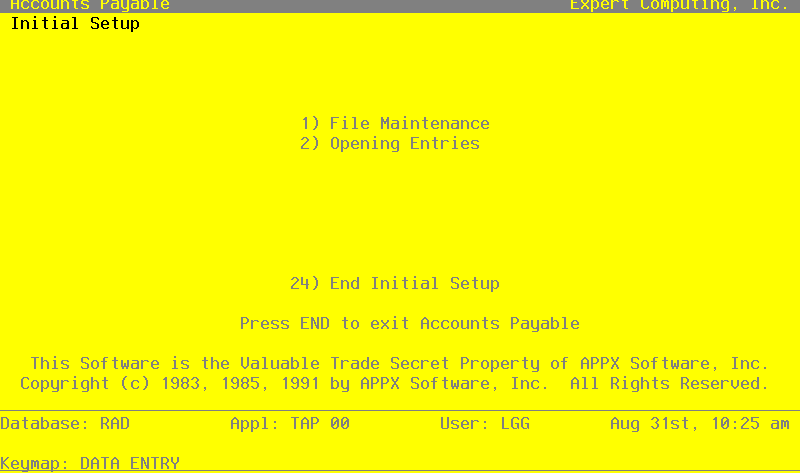
This is the Accounts Payable Initial Setup menu. It is used to access Accounts Payable Initial Setup submenus, and to end the Initial Setup phase.
Initial Setup screen
This job ends the Initial Setup phase of Accounts Payable, setting company operations to the Live Operations phase. The following processing steps accomplish this job.
- Step 1You will not be allowed to enter transactions in Live operations until the Process Initial Setup function has run to completion without errors.
At any time, you can select the Direct Process 1 option to momentarily suspend this function in order to exit to the “installation-wide” direct menu, or the Direct Process 2 option to exit to the “application” direct menu. In addition, you can review on-line documentation for any field at any time by positioning the cursor at that field and selection the Help option.
On the following pages, the screen displayed by this function is shown.
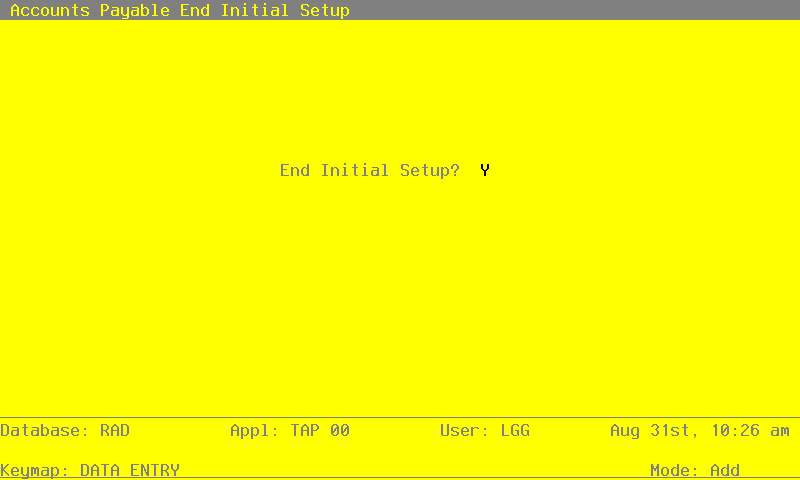
The screen shown below allows you to end Initial Setup phase.
End Initial Setup screen
- End Initial Setup
Data items for the preceding screen are described below:
- End Phase?
Y or N
The initial default value is ‘Y’, the system takes you to the Live Operations menu. If you enter ‘N’, the system returns you to the menu of the current phase.
The entered data is validated. During validation, including access to other files, conditions may be found which cause messages to be displayed. Errors (E), Warnings (W), and Messages (M) that may result are shown below:
Press ENTER to save the information on this screen.
- Step 2This step ends the Initial Setup or Recovery Processing phases and begins (or returns to) the Live Operations phase.