
Chapter 4: Maintenance
Intercompany Relationship Overlay
The Intercompany Relationship Overlay, shown in Figure 4-7a below, appears automatically when you save a record or when you click on the Relationship button from the Intercompany Names Screen in Intercompany Names File Maintenance. You remain in the same mode and you cannot change mode from this overlay.
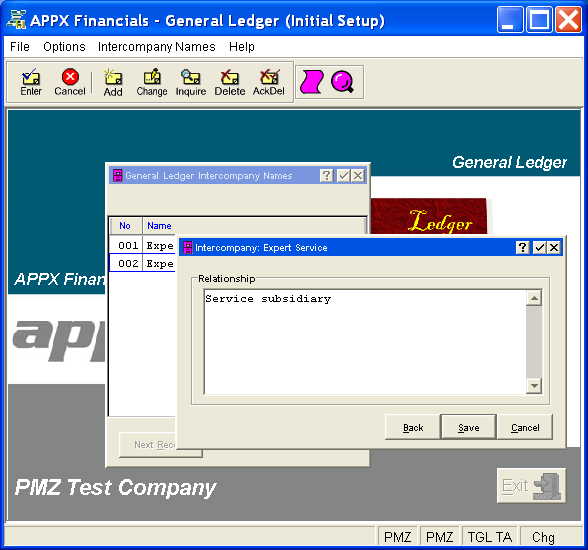
This overlay contains the following field for the current company (which is identified in the title bar).
- Relationship
Enter the relationship between this entity and the current company. This is a text field, up to 316 characters in length.
Press ENTER or click  or the Save button to save the information on this overlay. When the screen has been saved, you will return to the Intercompany Names Screen. To return without saving, press END or click
  or the Cancel button or click the Back button to return to the previous screen.
The following icons are also available for use on the toolbar:
 List Intercompany Names: See Intercompany Names List for further information.
 Display Intercompany Name Audit Info: See Audit Info for further information.
Click the appropriate icon to perform the desired operation (which first saves the current screen if applicable), after which you will return to where you are.