
Chapter 2: Menu Overview
Opening Entries Pulldown Menus
The Opening Entries Pulldown Menu, shown in Figure 2-5 below, appears when the user selects Opening Entries from the menu bar on the General Ledger Initial Setup Screen.
Opening Entries Pulldown menu

Items on this menu serve to display further pulldown menus as shown in Figures 2-6 thru 2-10 below.
Initial Setup Pulldown menu
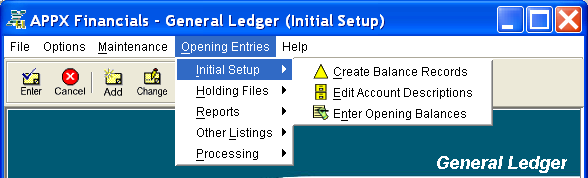
The Initial Setup Pulldown Menu provides access to the following setup functions described in Chapter 5:
Holding Files Pulldown menu
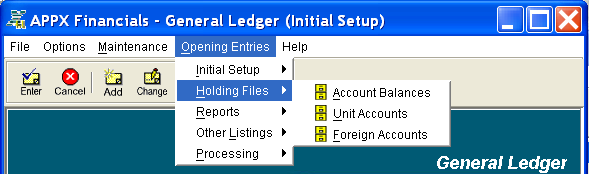
The Holding Files Pulldown Menu provides access to the following file maintenance functions described in Chapter 5:
Reports Pulldown menu
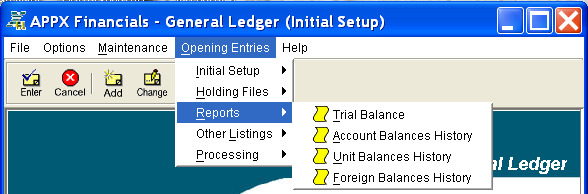
The Reports Pulldown Menu provides access to the following reports described in Chapter 5:
- Trial Balance Report
- Account Balances History Report
- Unit Balances History Report
- Foreign Balances History Report
Other Listings Pulldown menu

The Other Listings Pulldown Menu provides access to the following file lists described in Chapter 5:
Processing Pulldown menu
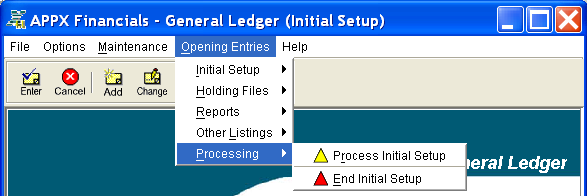
The Processing Pulldown Menu provides access to the following utilities described in Chapter 5: