
Chapter 2: Menu Overview
Navigation Options
Besides using the pulldown menus available on the menu bar, there are other ways to access the same functions. From any screen whose menu bar includes one or more application pulldown menus, a right-click will display a consolidated list of all the application menu items. Separator lines will divide the list into groups to correspond to the individual pulldown menus.
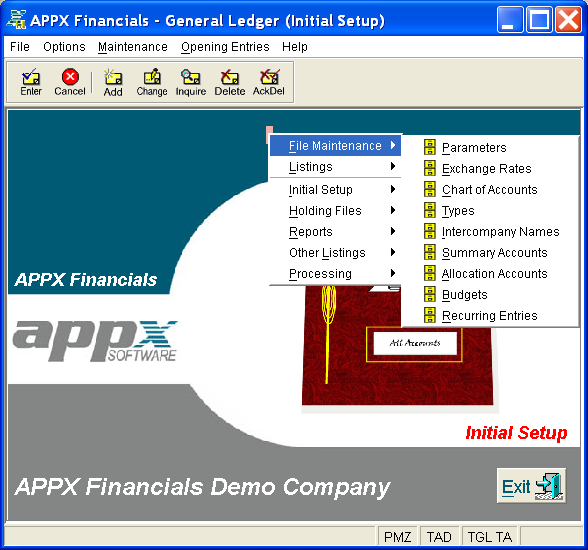
For instance, if you right-click on the General Ledger Initial Setup Screen, a popup box will list the same items found in both the Maintenance and Opening Entries pulldown menus, from which you can then make a selection. If you were to select File Maintenance, the screen would appear as shown in Figure 2-11 below.
Right-Clicking from General Ledger Initial Setup screen
If you select an input process, you may have further navigation options available to you as well. See Navigation Options (Inputs) for more information.