
Chapter 6: Decrypt the DMO database
Clear the encryption settings and replace
- Open System Administration, Configuration, File System Groups.
- Locate DMO ENCRYPTION and switch to Change mode.
- Open FMS Group Attributes and clear Encryption Key. Save the attributes and the group.
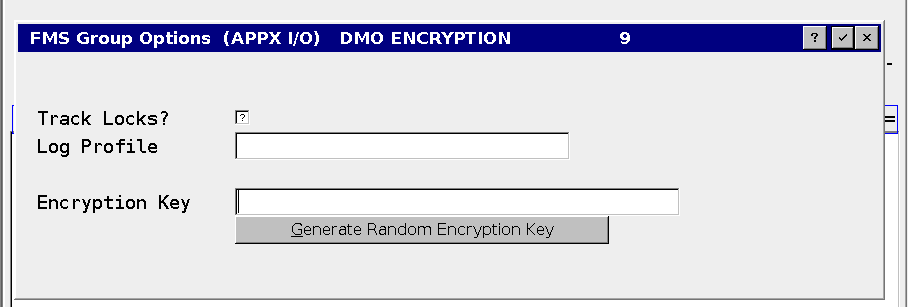
- Check the affected File Specifications for individual keys. Clear any individual key that would otherwise continue encrypting a file, after confirming its export was made under the old working settings.
- Preserve the FMS type, path, and other required settings. The group can remain assigned with a blank encryption key.
- Return to Data File Management and select the same nine eligible DMO files. Confirm the count. Repeat for additional applications in the conversion plan.
- Choose Import Files (CSV), set 2 = Replace, and click Proceed.
- Check every import count and error message before proceeding to verification.
Leave the system passphrase unchanged. Other databases may still need it.