
Chapter 2: Prepare the test system
Set the system passphrase
Skip setting a new passphrase if the test system already has the correct one. Keep its existing value and confirm that its recovery record is available.
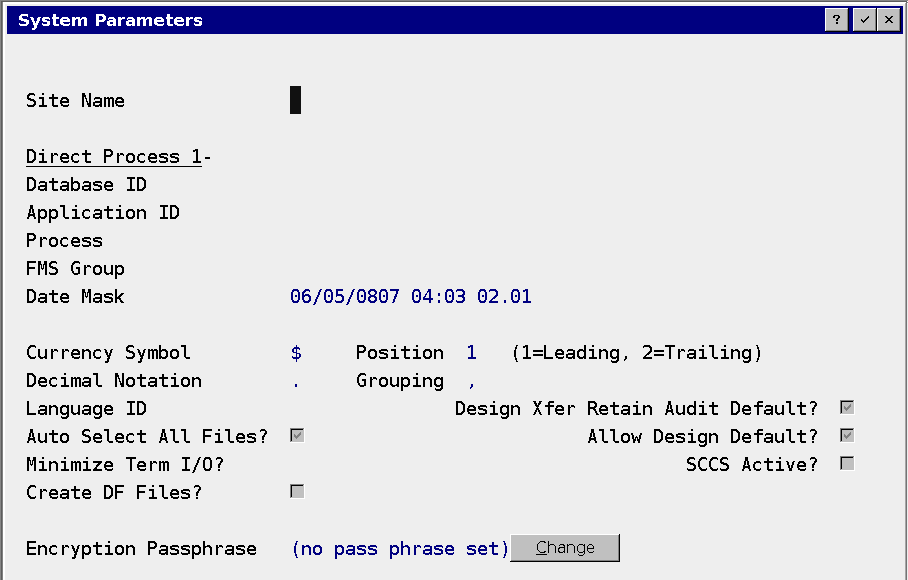
- Open System Administration, System Setup, System Parameters.
- Switch to Change mode. The Change button beside Encryption Passphrase cannot be used in Inquire mode.
- Click Change beside Encryption Passphrase.
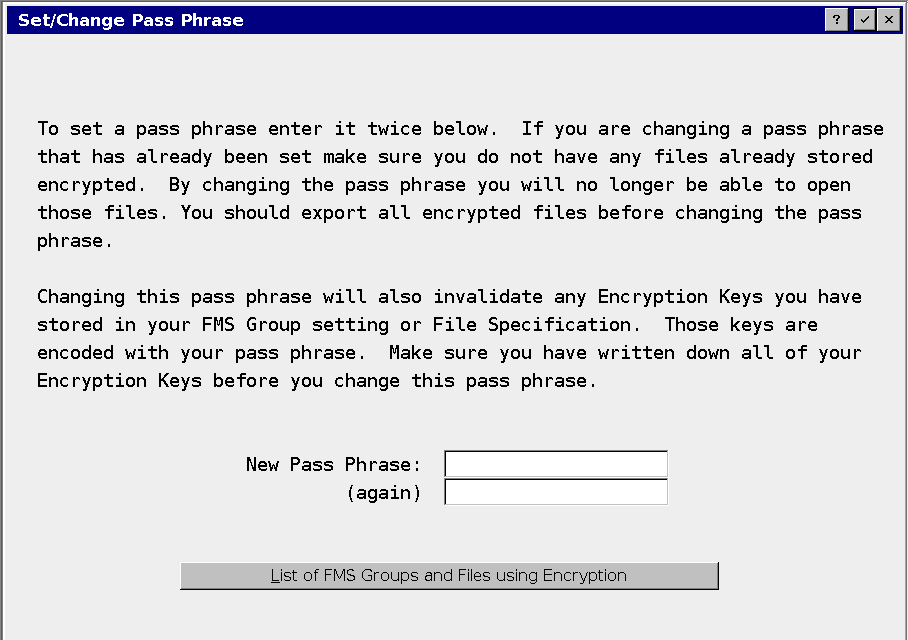
- Enter the new passphrase in both fields on Set/Change Pass Phrase.
- Accept the dialog and save System Parameters. If the report defaults dialog appears, accept the appropriate existing defaults to finish the process.
- Keep the exact passphrase in the restricted key record.
The passphrase enables the feature. No existing datafile has been encrypted by this step.