
Chapter 5: Encrypt the DMO database
Inventory and export the eligible files
Start with the eligible DMO files unencrypted. Complete the PROSPECT decryption exercise first if following this manual in sequence.
- Inventory every application related to database DMO. Include each application's eligible permanent APPXIO files in the conversion plan.
- Back up the database, matching structures, and System Administration. Record current FMS settings and any individual encryption keys.
- In DMO Data File Management, open File Selection and choose Select All.
- Use SELECT to exclude PARAM and STREAM. Check the organization and file type shown on each row before excluding it.
- Return to Data File Management. The standard DMO application should have 9 of 11 files selected.
- Choose Export Files (CSV), leave Include Headings unchecked, and click Proceed.
- Check every result row. Preserve all nine CSVs and their counts before assigning encryption settings.
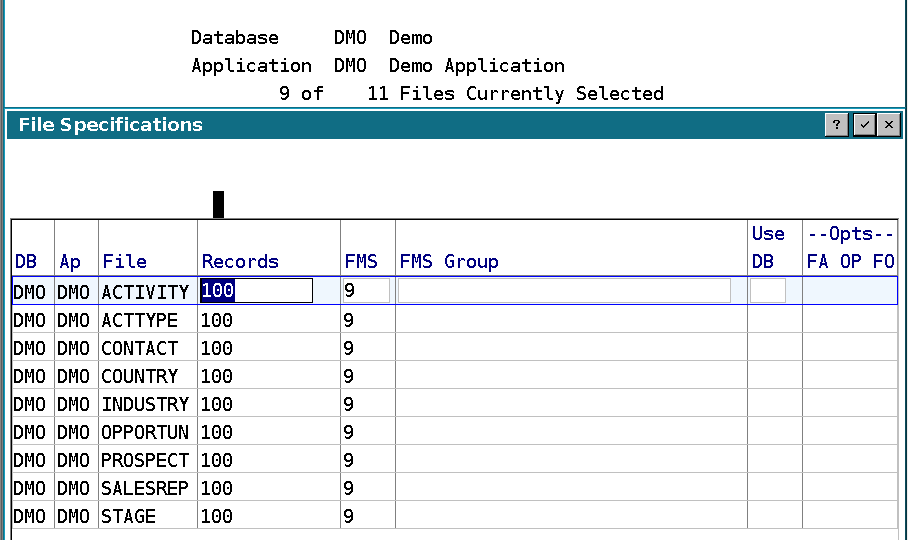
The sample counts are shown below for comparison with the screenshots. Use your own before and after counts if the sample has been changed.
| File | Records in this test |
|---|---|
| ACTIVITY | 33 |
| ACTTYPE | 13 |
| CONTACT | 16 |
| COUNTRY | 7 |
| INDUSTRY | 28 |
| OPPORTUN | 7 |
| PROSPECT | 7 |
| SALESREP | 10 |
| STAGE | 4 |
| Total | 125 |
Repeat the export for additional applications in DMO before changing any setting that will affect them. Do not infer database-wide coverage from a screen whose Application field still names only DMO.