
Chapter 5: Encrypt the DMO database
Replace and check every converted file
- Confirm that all selected files have successful exports and that the selection still matches the conversion list.
- Choose Import Files (CSV), set 2 = Replace, and click Proceed.
- Check every result row. Each file must import all of its exported records.
- Run Verify Files Menu, Verify Integrity of APPXIO Files for the same selection.
- Check representative records and application totals in DMO.
- Export the encrypted files again and compare them with the protected pre-conversion exports.
- Repeat these checks for every additional application included in the database conversion.
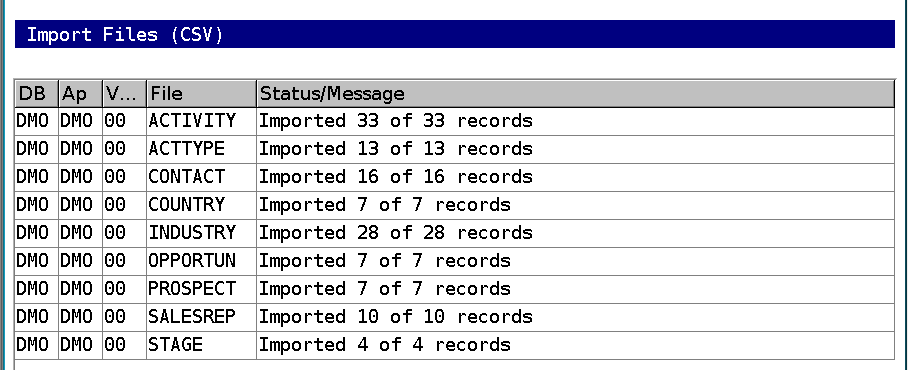
All nine indexed files were confirmed encrypted in this test. PARAM remained unencrypted. All nine CSVs exported from the encrypted files matched their originals byte for byte.
Record the completed file inventory and key version with the backup. Assign the appropriate encryption group or file key before creating any new eligible file. An explicit assignment to today's nine files does not automatically add a future file to that group.