
1Transaction Processing
Option 13Receipt Full PO
This function is used to create receipt entries for an entire posted purchase order, or create receipt entries for the remainder of a partially receipted purchase order. (To enter receipts for particular line items on a purchase order, you should use the Receipts program, one of the Data Entry programs on the Transaction processing menu.)
Receipts are written into the Receipts data entry file, where they can be changed, and where a journal is required.
This function can be used only if the Receipts in PO? option is chosen in the Parameters file. For more details on receipt entry, refer to the description of the Receipts Data Entry program earlier in this section.
Select “Receipt Full PO” from the Transaction processing menu. Here is the screen that appears:
Receipt Full PO screen
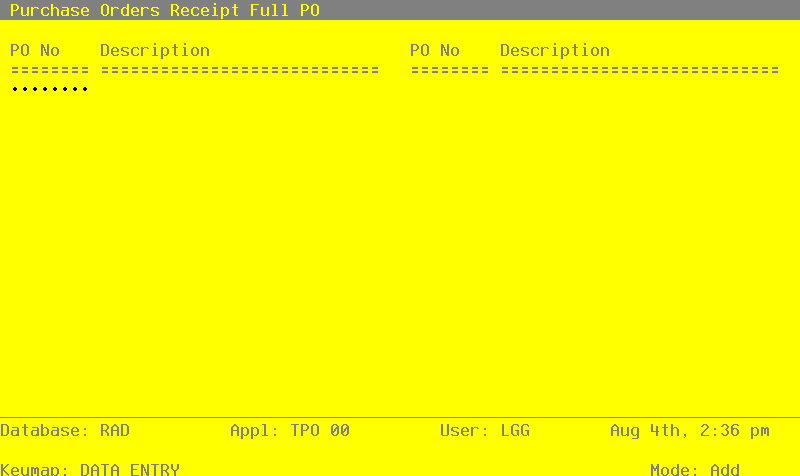
Data items for the preceding screen are described below:
- PO No
Enter a purchase order number. This purchase order will be completely receipted. That is, receipt entries will be created for all line items on the order.
- Description*
The system displays the Description entry for the purchase order you selected.
Press RETURN to receipt another purchase order. When you have selected all purchase orders that will be completely receipted, press END to end the selection process and generate receipt entries for the selected purchase orders.
The entered data is validated. Press RETURN to display system-supplied information and then press RETURN again to save the information on this screen.