
Chapter 5: Read APPX Data with Excel, Access and LibreOffice
Help LibreOffice Find a Saved Base Connection
In Tools, Options, LibreOffice Base, Databases, register the saved ODB under the exact name used by the workbook's database range. Select its actual new file path. Registration belongs to the LibreOffice user profile; moving an ODB does not update an old registration automatically.
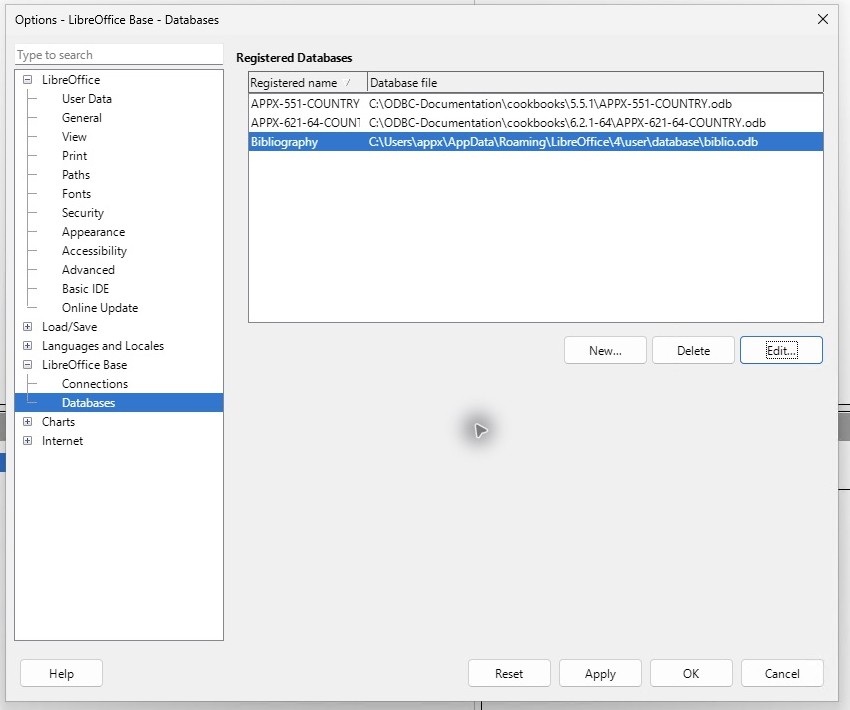
Open the ODB query first to check its connection. Then open the workbook, select a cell in its imported range and choose Data, Refresh Range. An ordinary pasted snapshot is not a refreshable database range.