
Chapter 5: Read APPX Data with Excel, Access and LibreOffice
Connect LibreOffice Base and Save a COUNTRY Query
The supplied Base document with an explicit direct SQL query reopened in native LibreOffice 26.2.6.3, requested a new password and refreshed eight records and nine fields, with the same Unicode text failure. Its registration was checked against the actual ODB in C:\ODBC-Documentation\cookbooks\6.2.1-64. A separate fresh File, New, Database wizard with ODBC/AppxODBC, user appx, Password required, registration and Open for editing saved its file but stalled in a blank window for about three minutes. Requesting closure produced Not Responding. Preserve these as separate results; opening the supplied ODB does not establish that the fresh wizard route succeeds.
For the tested explicit query, use this SQL without a trailing semicolon:
SELECT * FROM "appx"."dmo_dmo_country" ORDER BY "name"
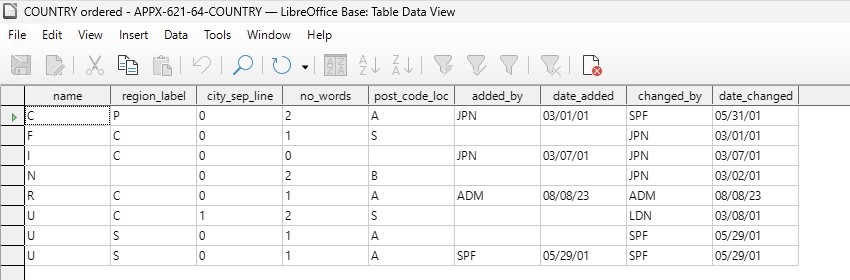
Use Edit, Run SQL command directly in the query editor. Save the connection and query, keep Password required, and supply the authorized password when opening the query. Use Refresh in its result window and compare every field. A table count or a truncated name must not be accepted as complete data.
The separate 5.5.4 32-bit Base recipe passes its complete sample on the specified older engine/gateway combination. It is not evidence that changing only this edition's client recovers text.