
Chapter 5: Read APPX Data with Excel, Access and LibreOffice
Load COUNTRY into LibreOffice Calc and Refresh It
The native Calc import, save, full exit, fresh reopen, password prompt and refresh completed in 64-bit LibreOffice 26.2.6.3. The saved workbook contains eight COUNTRY rows and nine fields in a refreshable database range. Its 72 values were independently compared with the native APPX records: 22 text values differ, exactly matching the separate ODBC result. Refreshing the workbook does not repair these values. The 5.5.4 32-bit Calc recipe passes its full sample on its specified engine/gateway/driver combination; this is a different stack.
- Register the supplied APPX-621-64-COUNTRY.odb as APPX-621-64-COUNTRY, using the registration procedure below. Keep its saved query COUNTRY ordered and Password required.
- Create a blank Calc workbook. Choose View, Data Sources and expand APPX-621-64-COUNTRY, Queries, COUNTRY ordered. Supply the authorized password when requested. Check the returned rows before importing them.
- Keep A1 as the sheet insertion cell. Select all query records using the upper-left corner of the query grid, then click Data to Text in the data-source toolbar. The imported range is A1:I9, including its heading row. Copy and paste alone does not establish this refreshable range.
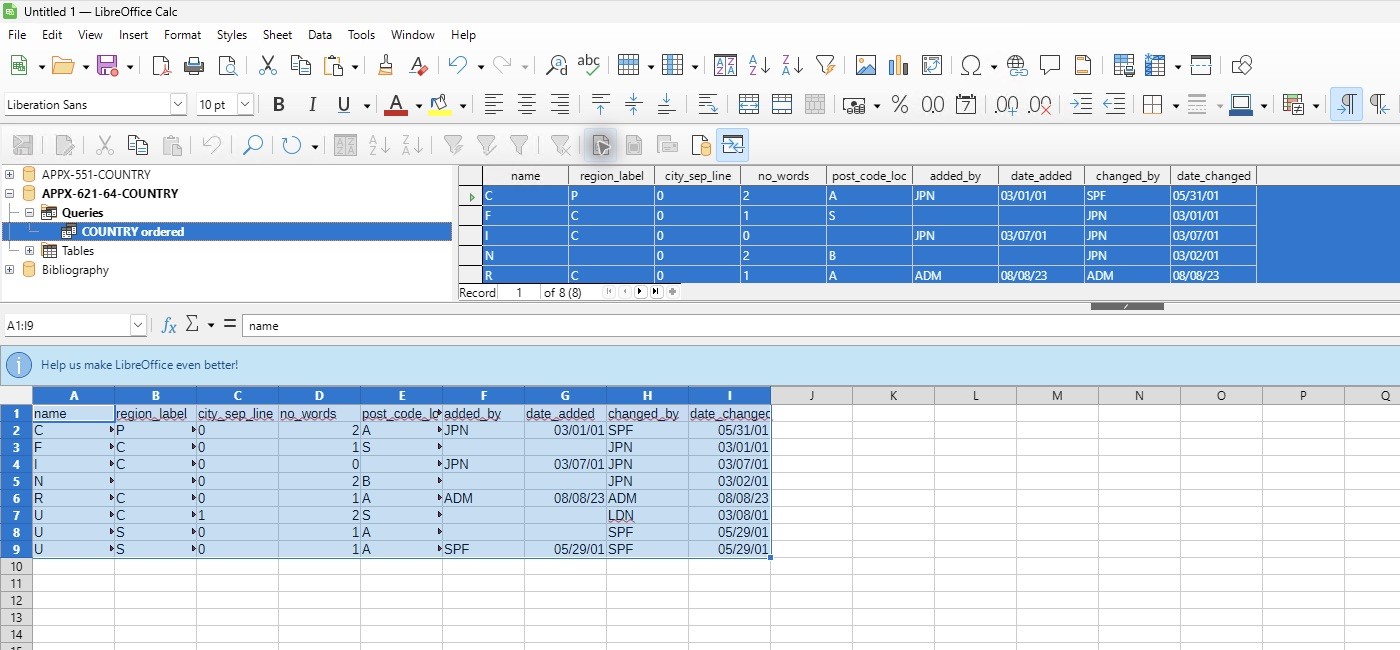
- Hide the browser with View, Data Sources. Select columns A through I and choose Format, Columns, Optimal Width if needed. Select a cell within the imported range, then choose Data, Refresh Range.
- Save as an ODF Spreadsheet (.ods). Keep Save with password unchecked; that option encrypts a document and is separate from the connection's password prompt. Use File, Exit LibreOffice to close all LibreOffice windows before testing a fresh connection.
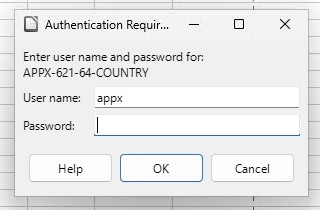
- Open the ODS in LibreOffice Calc. If Windows associates ODS files with Excel, use Open with, LibreOffice. Select a cell in the imported range and choose Data, Refresh Range. Enter the password in the new authentication prompt.
- Check all eight rows and nine fields, then save the refreshed workbook. The actual result below retains truncated Unicode text, including three separate names displayed as U. Do not identify rows by those damaged name values.
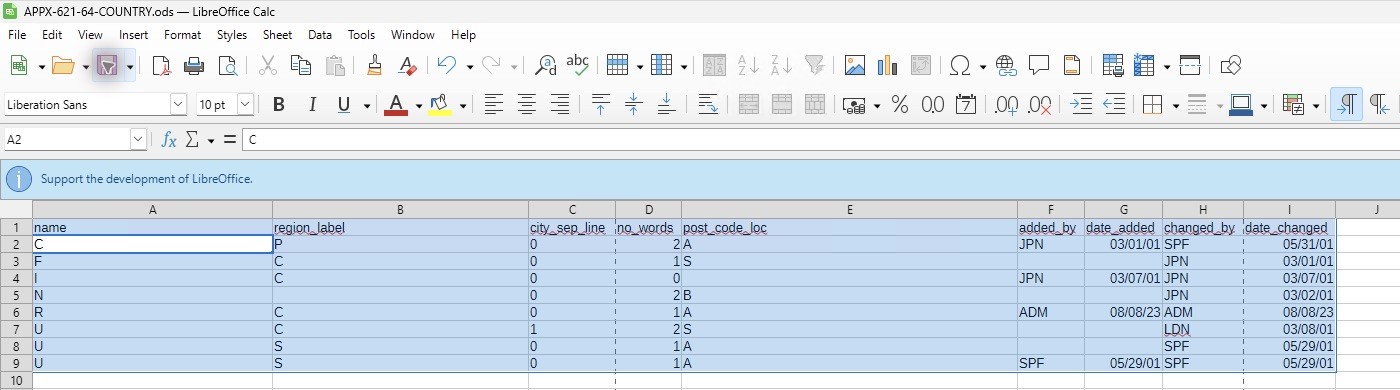
The supplied APPX-621-64-COUNTRY.ods preserves this observed result and the COUNTRY ordered query reference. Its saved XML and the ODB contain no saved credential attributes. The native fresh-password test confirms that refreshing needs a live connection and an entered password. Compare against COUNTRY-expected.csv for native values and COUNTRY-observed.csv for the measured ODBC result. The earlier document-API attempt that produced an empty range is not used as acceptance or a product diagnosis.