
Chapter 2: Install and Check APPX ODBC
Install the 6.2.1 Gateway and ASQL
- Preserve the existing gateway dictionary, settings and service configuration. Follow the vendor's uninstall-first replacement procedure when replacing an older installation.
- Download the official 6.2.1 64-bit gateway and 64-bit driver with ASQL. Check them against the vendor's 6.2.1 SHA-256 manifest.
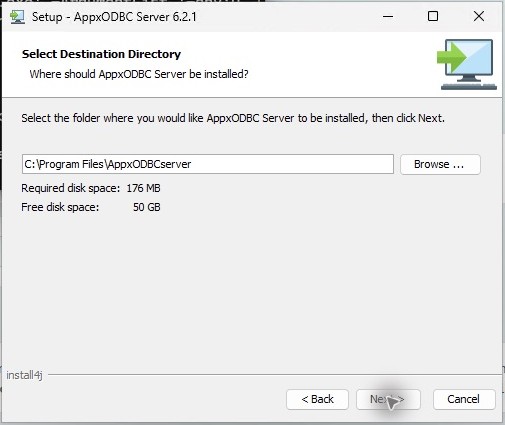
- Run gateway setup as administrator. Use
C:\Program Files\AppxODBCserver. Enter the actual APPX backend hostname and login-manager port; this installation useslocalhostand31062. - Check
C:\Program Files\AppxODBCserver\appx.dbs\appx.env. The tested backend assignment isAPPX_DATA_SERVER=localhost:31062. - Install the matching driver-with-ASQL into
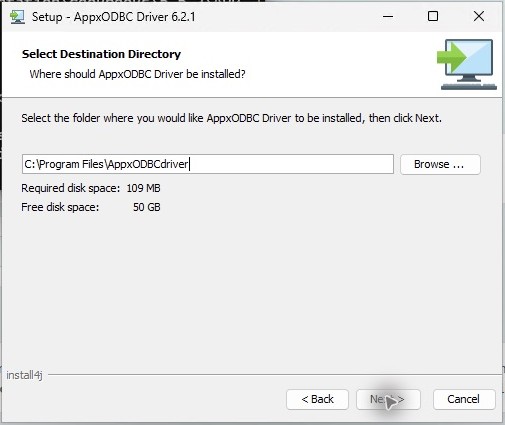
C:\Program Files\AppxODBCDriver. Create System DSN AppxODBC, Host localhost, Database appx. Leave optional Service blank. - Check the registered Windows service executable, actual process architecture and listener before importing definitions. An installer filename alone does not identify the running gateway.
The package hashes are 43095ba483ad810646906681247ce9167e6604c4c4227efb2a69feb71c094b45 for the gateway and 970b98cd4db179b233509434a164b6e6a5332fc3934592299a0f8ff4b8033323 for driver-with-ASQL. The unlisted 6.2.1 server ZIP inspected during testing contained a 6.2.0 engine; use the official 6.2.1 EXE and verify the installed engine's own version.