Chapter 9: Design Techniques
Option 94: The Presentation Preview
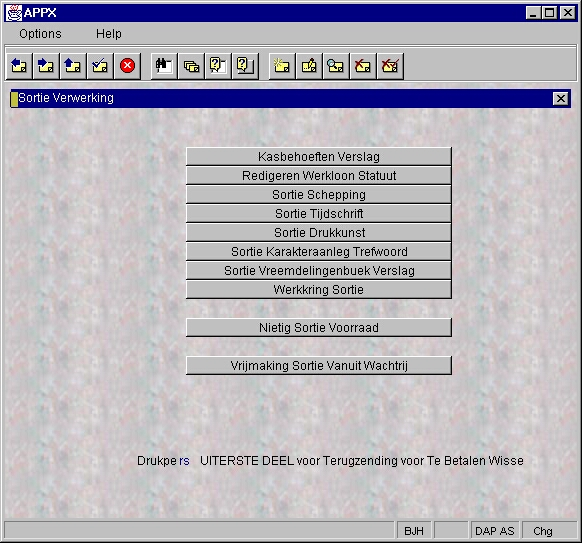
The Preview feature displays Menus and Input Processes in any of the defined Presentation Languages you select. While in the Image Editor, follow these steps to preview the image in another language:
- From anywhere on the image, select
OPTION 94 (OPTION, OPTION, 9, 4). - In the Select Preview Language pop-up window (see Figure 25), enter the Language ID of the Presentation Language you want the image translated, to then press
ENTERtwice. Or, click ▼ to view a list of Languages and double-click your selection. - The image displays in the Presentation Language selected (see Figure 26). Repeat the process to change the display back to the Design Language.