
Chapter 5: The Dictionary File
Available Options in the Dictionary File Input Process
- Edit Full Text
Edit the full entry for entries exceeding the 40 characters displayed in the scrolling portion of the frame.
- Show Translations
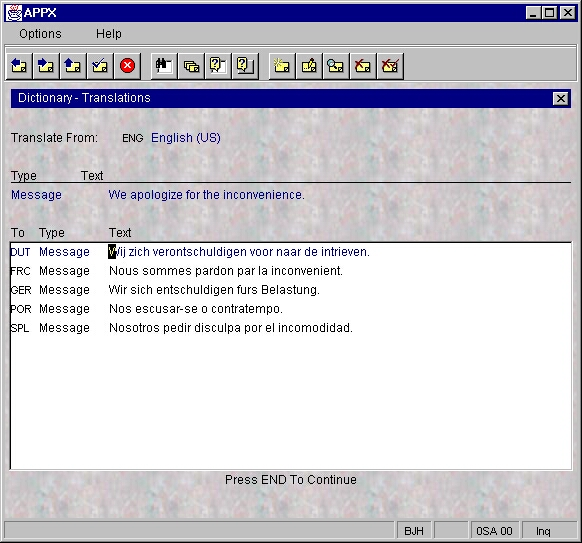
Displays the corresponding dictionary entries in other languages that are linked to the currently displayed entry. See the example in Figure 11.
| TYPE | DESCRIPTION |
|---|---|
| Word | A single word or two words joined by a hyphen. |
| Phrase | A combination of words not complete enough to be classified as a clause or sentence. |
| Clause | A group of words ending with one of the Clause Terminators defined for this Language in the Language File. |
| Sentence | A group of words ending with a Sentence Terminators defined for this Language in the Language File. |
| Paragraph | A group of sentences. |
| Text | A group of paragraphs. |
| Quote | A group of words preceded by and terminating with a double quotation mark. |
| Field | The Token or Validation Table value of a File or Work field or the value of a Work Field defined as Alpha or Text. In the Data Dictionary, make sure the Translatable? checkbox for this item is checked for translation to occur. It is recommended that a Work Field defined as Translatable be non-modifiable on Input Processes. |
| Row | A complete or partial row of an APPX image. |
| Message | An error, warning, or message generated by the APPX ILF Editor. |
| Token | Allowable values for fields defined as token fields. |
| Exception | Any of the preceding text types that has an exception, or override translation. |