Chapter 5: A Typical Input Process
Scrolling Input Processes
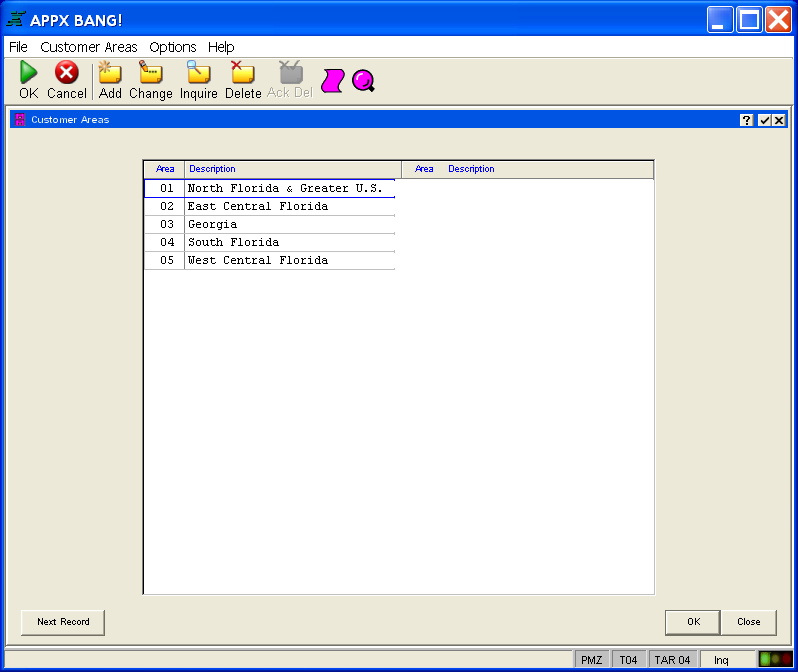
Some input processes are scrolling, like that shown in Figure 6 below. A scrolling input process displays several records at a time on the screen, and allows you to “scroll” through the records in the designated key path sequence. The record you are currently on is highlighted, and you can move successively through the list of records one record at a time, by using the scroll buttons (located in the right edge of scrollable areas). You can also press the F5 (NEXT RECORD) key on your keyboard or look for a button, as shown in Figure 6, that you can select to move to the next record. If you reach the last record on the screen and there are more records in the file, pressing the PAGE DOWN key or using the scroll buttons or slide bar causes the screen to scroll, displaying the next group of records while removing the current group from the display. You can also select any record displayed on the screen by clicking on it, and selecting a mode option to make that the current record. For example, in inquiry mode you may have displayed a scrolling list of records on the screen. Then you can select a specific record, select change mode, and apply any changes to the selected record.