Chapter 5: A Typical Input Process
List Values
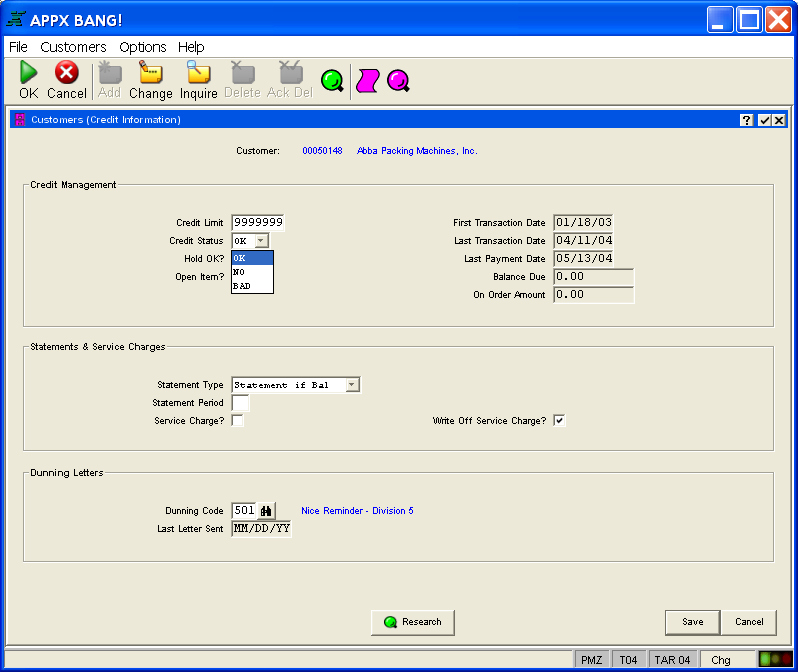
Clicking the list icon  to the right of a field box displays a list of allowable field values as shown in Figure 14. Click on the desired value to select it and place it into the field box.
Instead of selecting the appropriate value from the list with your mouse, you may also enter the first letter of the value you wish to select. In the case where more than one list value begins with the same letter, press the same letter again to select the next value in the list which begins with that letter.