
Chapter 6: Create Reports with Crystal Reports 2016
Crystal RDO Connection and Command Failures
The direct ODBC (RDO) route did not pass with the supplied Dharma 9.01.0000 driver. Verified alternative in this same release: OLE DB (ADO) with Microsoft's ODBC provider and a direct SQL command passes with the same 5.5.1 engine, gateway, ASQL, supplied driver and 32-bit Crystal Reports 2016 SP9 Patch 21. Nearest later direct ODBC success: the 5.5.2 RDO command procedure passes with matching 5.5.2 engine/gateway/ASQL, supplied Dharma 9.01 x86 and the same Crystal release. This verifies that full later combination, not a driver-only repair. Refreshing an existing report failed with Database Connector Error, SQLSTATE 00000, native -20217. A fresh ODBC (RDO) connection and a new four-column SQL command also failed with Failed to retrieve data from the database and the same native error.
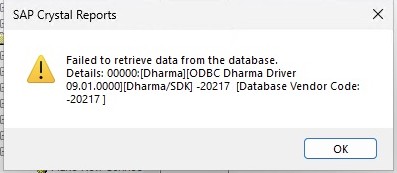
Opening the old report initially displayed seven saved records. Those were cached report data, not a successful query to 5.5.1; after the failed refresh, the report showed zero records. Reopening that file is not a repair.
Use OLE DB (ADO) with Microsoft's ODBC provider and a direct SQL command for the route tested in this edition. It uses the same default DSN and supplied driver. The cause of the RDO-specific failure has not been established. Substituting the newer driver used in the 5.5.3/5.5.4 cookbooks also failed a separate 5.5.1 connection test with -30033 No Data; it is not a verified 5.5.1 workaround.