
Chapter 8: Solve Connection and Import Problems
Fix the ASQL System Directory Error
An unusual incomplete structure on the tested APPX installation prevented the earlier ASQL file-list query. The APPX system dictionary and its data existed; this was not a missing SYSDIR definition in APPX. The missing generated file was 0SA\Struct\SYSDIR.dat, alongside existing 0SA\Data\SYSDIR.dat and .key files. This is a troubleshooting case, not a routine installation step.
The recorded ODBC diagnostic was:
ERROR [00000] [Dharma][ODBC Dharma Driver 14.01.00.0000][Dharma/SDK] -1007 Can't open file
First confirm the gateway points to the intended APPX installation and the APPX service account can access its files. This error can have other file or permission causes. If the generated SYSDIR structure alone is absent:
- Preserve the APPX system files and sign into the matching APPX release as a system administrator.
- Open System Administration → System Setup → System Administration File Management.
- Open File Selection, choose Unselect All, then Select with Application
0SAand NameSYSDIR. Leave Database and Version blank. Confirm and return with Cancel/End. - Confirm that exactly one file is selected, then choose Create Files.
- Existing data should report File Already Exists. Confirm
0SA\Struct\SYSDIR.datwas generated, leave file management, and retry ASQL.
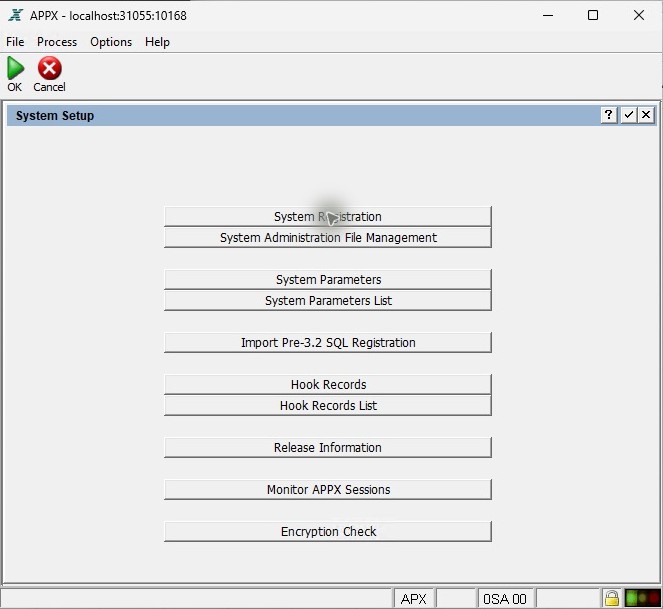
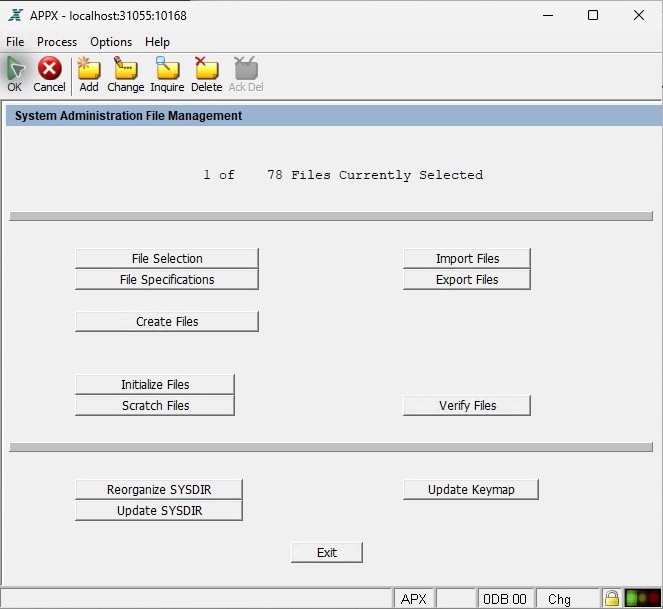
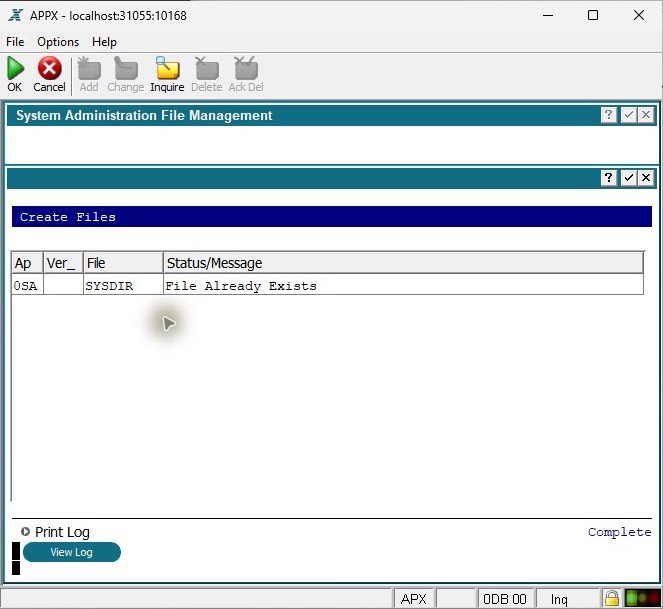
In the test, APPX generated its matching structure and ASQL then listed DMO successfully. The existing SYSDIR data and key hashes were unchanged. Do not use Initialize Files or Scratch Files for this repair.