
Chapter 4: Verify PHP Before APPX
Render the Smoke Test
Start with the vendor's check installation script, ChartDirector/phpdemo/cdinfo.php. The vendor presents this through its demonstration website; for APPX's CLI use, run the same script directly and save its HTML output privately. Run it from phpdemo so its relative include resolves correctly.
On Linux:
cd /opt/ChartDirector/phpdemo
/usr/bin/php cdinfo.php > "$HOME/chartdirector-check.html"
On Windows:
Push-Location 'C:\AppxTools\ChartDirector\phpdemo'
try {
    & 'C:\AppxTools\PHP85\php.exe' .\cdinfo.php |
        Set-Content -Encoding utf8 (Join-Path $env:TEMP 'chartdirector-check.html')
    if ($LASTEXITCODE -ne 0) { throw 'ChartDirector installation check failed' }
} finally { Pop-Location }
Open the saved HTML locally. Confirm the ChartDirector version and inspect the diagnostic information. The vendor notes that Boot Log and Font Loading Test entries can be informational. Investigate PHP startup errors or a missing version before continuing. This procedure requires no web server; the following smoke test adds a fresh image and filesystem check.
Download chart-smoke.php into the example directory. The Windows installation helper automates the PHP and ChartDirector setup in Chapter 3 and records its package checksums. Run it in an elevated PowerShell window with an unused installation root. This command line example renders three sales values, 120, 90 and 150, to a new 640 by 400 PNG. It checks the file type and dimensions and prints the PHP version, architecture, configuration path, ChartDirector version and image checksum.
On Linux:
php /opt/appx-chart-examples/chart-smoke.php \
  /opt/ChartDirector/lib/phpchartdir.php \
  /var/lib/appx-charts/smoke-01.png
Read this command from left to right:
| Part | Purpose |
|---|---|
php | Run the PHP CLI selected by PATH |
/opt/appx-chart-examples/chart-smoke.php | Read and execute the downloaded test script; save that file here before running the command |
/opt/ChartDirector/lib/phpchartdir.php | First argument to the test script: the vendor's PHP interface file to load |
/var/lib/appx-charts/smoke-01.png | Second argument to the test script: the complete filename of the new PNG to create |
The backslash (\) at the end of a shell line continues the command on the next line. It must be the final character before the newline. These three lines form one command; you can also type it on one line without the backslashes. If your paths contain spaces, put each complete path in double quotes. Substitute your chosen directories and a fresh output filename.
On Windows:
& 'C:\AppxTools\PHP85\php.exe' 'C:\AppxTools\ChartExamples\chart-smoke.php' 'C:\AppxTools\ChartDirector\lib\phpchartdir.php' 'C:\AppxData\Charts\smoke-01.png'
if ($LASTEXITCODE -ne 0) { throw 'Chart smoke test failed' }
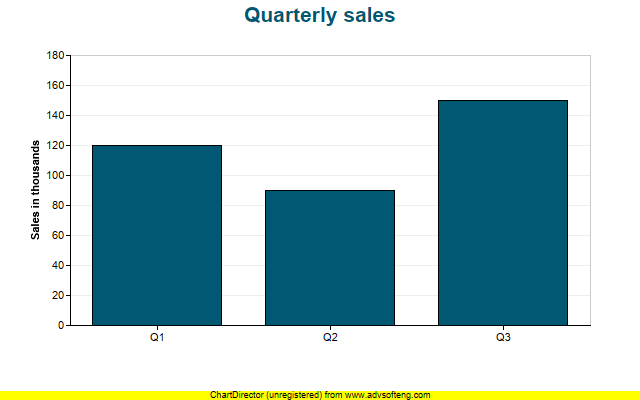
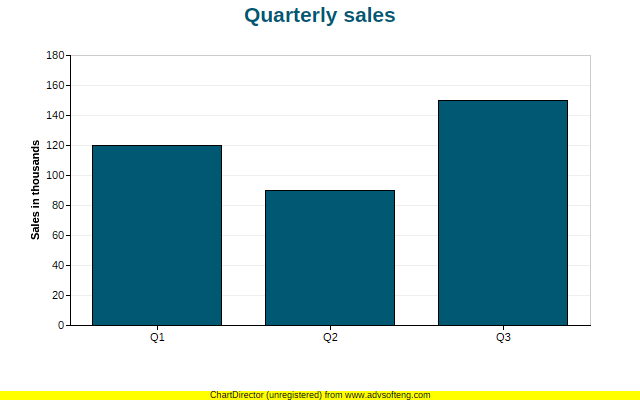
Choose a fresh output name for each run. The helper refuses to overwrite an existing file so an old image cannot be mistaken for a successful render. Expect sapi to be cli, php_bits to be 64, thread_safe to be false, width to be 640 and height to be 400. Open the image and verify the three bars and their labels.