
Chapter 2: Initial Setup File Maintenance
Option 4Freight Classes
This function is used to establish and maintain records identifying the freight classifications used on bills of lading. All Sales Orders line items with the same freight class are grouped together on the Order Entry bill of lading.
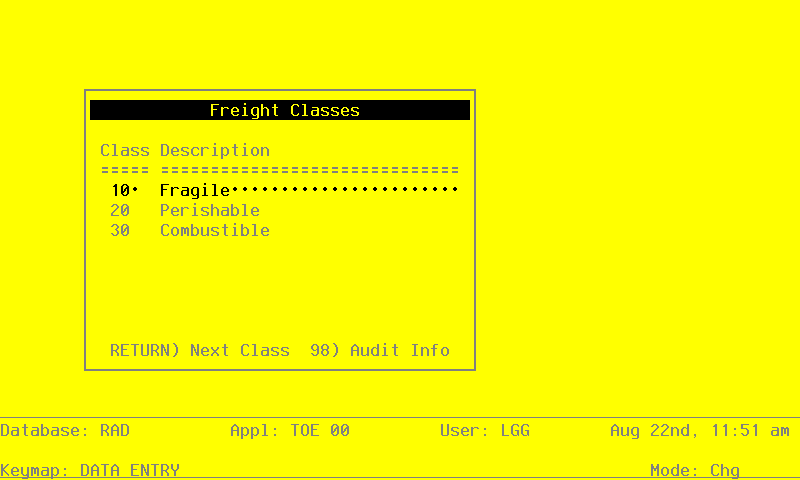
The Freight Classes entry screen is shown below:
Freight Classes screen
When the key value for a particular record is requested, you can review all the records in the file by selecting the Scan option. The records will be presented on an “Access” screen, and you will be allowed to scan the available data until you find the record you want. Then, position the cursor by that record and press RETURN; the record will be displayed for editing.
Data items for the preceding screen are described below:
- Freight Class
Enter up to 3 digits to identify the freight class.
- Freight Class Description
Enter up to 30 characters to describe the freight class. Examples of freight classes might include refrigerated freight, fragile freight, or explosive/flammable freight.
The entered data is validated. Press RETURN to save the information on this screen.
Select Next Record to go to the next Freight Classes record.
At this screen the use of the MODE keys—ADD, DEL, CHG, or INQ—pertain to those records in the Freight Classes file.