
4Reports and Inquiry
Option 14Sales Analysis Inquiry
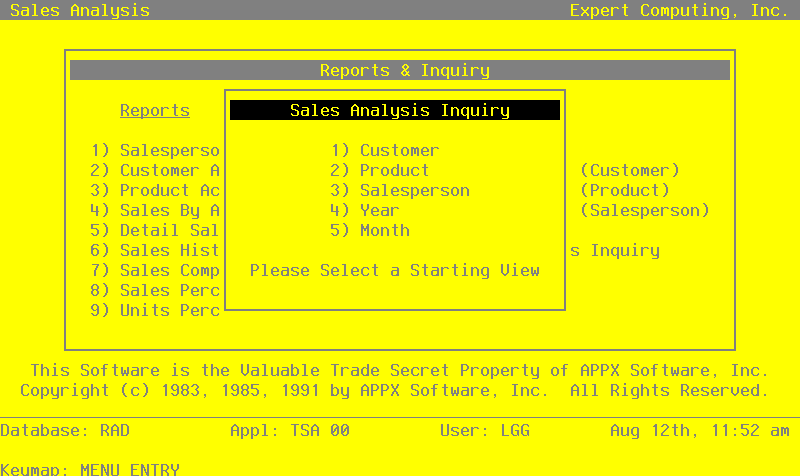
This inquiry provides sales information by customer, product, salesperson, year and/or month. When you select this option, the screen shown below appears which allows you to choose how you want the sales information listed, by customer, product, salesperson, year, or month:
When you select an option in the Sales Analysis Inquiry overlay, a screen like the one shown below appears and provides you with sales information.
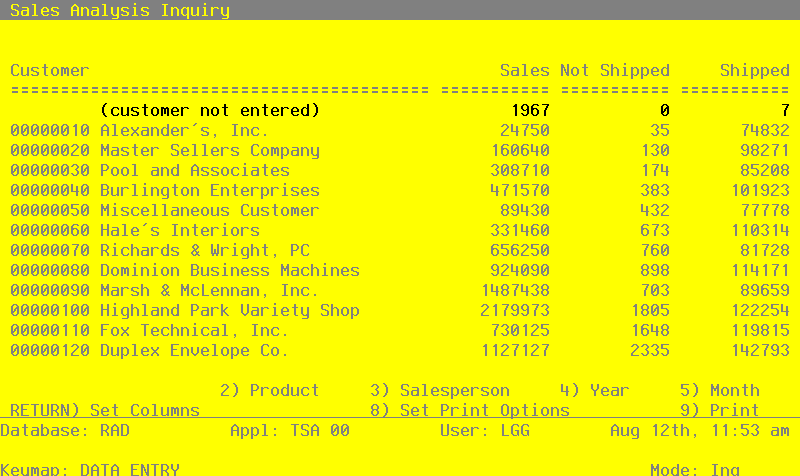
The Sales Analysis Inquiry screen allows you to edit the screen several different ways. At any time, you may choose to select another category by pressing one of the other category options at the bottom of the screen. For example, if you are viewing the Sales Analysis by Customer, you can select Product, Salesperson, Year or Month options at the bottom of the screen to redisplay the data using the new category. The Print option at the bottom of the Sales Analysis Inquiry screen, allows you to print the inquiry. The Set Print Options option at the bottom of the Sales Analysis Inquiry screen provides you with a disposition screen to set your print specifications. The Set Column option allows you to specify the information that is displayed on the screen. When you select the Set Column option, the following screen appears.
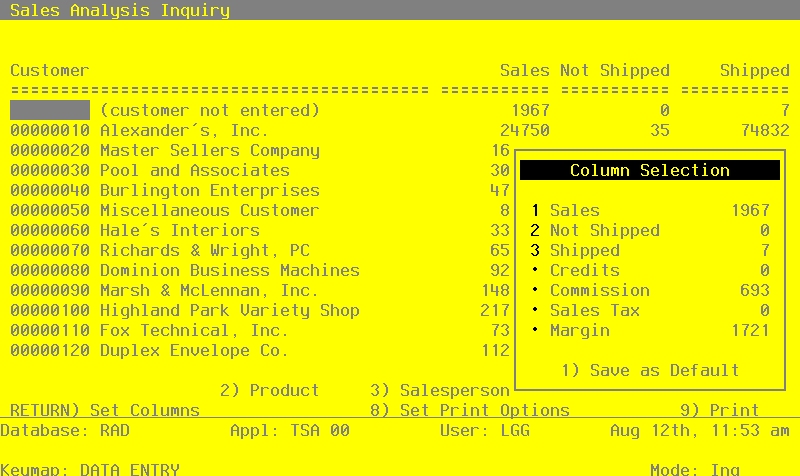
The Set Column overlay allows you to specify which information will be displayed in the three columns on the screen and the order that those columns will appear. Once you have selected the order and type of information you desire, you may press the Save as Default option if you want your data to appear in the specified order every time you use the Sales Analysis Inquiry. Press ENTER to redisplay the Sales Analysis Inquiry screen using the specifications you have provided.
APPX Software, Inc.
Sales Analysis User Manual
Published 5/95