
Chapter 2-3: Domains
Token Domain Additional Attributes
From the Token domain overlay, the additional attributes option accesses the Token domain Additional Attributes overlay shown in Figures 2-3-15.
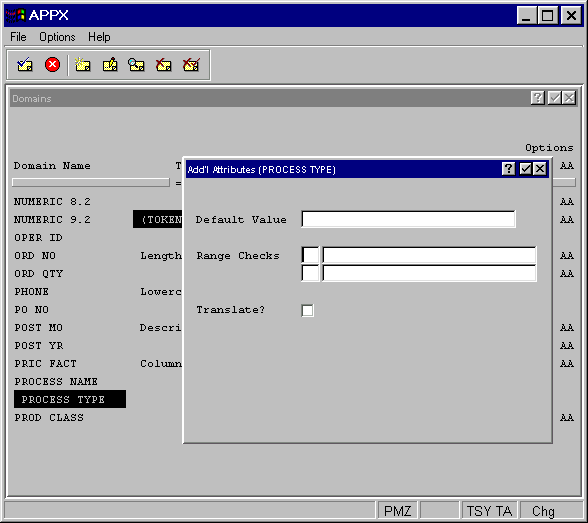
The Token Domain Additional Attributes Overlay contains the following fields:
- Default Value
Establishes a modifiable starting value for all image items whenever they are first displayed in add mode in an input image, unless modified by a user. If blank, there is no starting value displayed on the image.
- Range Checks
Is not used for token fields.
- Translate?
Indicates if the value of fields based on this domain should be translated into a designated language if APPX’s Language Translation feature is being used. Click the checkbox to toggle between “yes”
 , “no”
  , and unknown
  values. If the translation feature is not in use, retain the default value of .