
Chapter 3-9: Query Processes
Enduser Selections Add'l Attributes Option
The additional attributes option allows you to prevent the enduser from modifying the Relational Operator, the Right Side Field or Operand, or both, during runtime. In addition, the Begin At? and End At? flags allow you to constrain the reading of PCF records if desired.
When you select the Additional Attributes option from the Enduser Selections overlay, the overlay shown in Figure 3-9-7 appears.
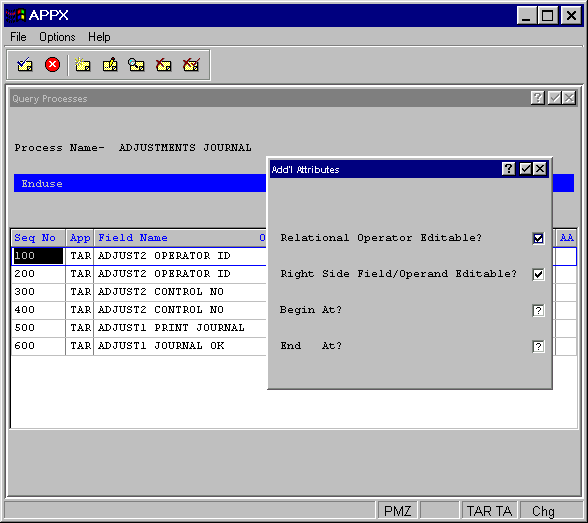
The Enduser Selections Additional Attributes overlay contains the following fields.
- Relational Operator—Editable?
Select "no"
 if you want to prevent the enduser from modifying the relational operator at runtime. The default is "yes"
  .
.- Right Side Field or Operand—Editable?
Enter "no"
if you want to prevent the enduser from modifying the right-side operand. The default is "yes" .- Begin At?
Indicates whether or not the reading of PCF records should be constrained beginning at the value of this field’s right side operand. This may significantly reduce runtime if the user intends to select just a subset of records within the PCF file. Click the checkbox to toggle between “yes”
and “no” .- End At?
Indicates whether or not the reading of PCF records should be constrained ending at the value of this field’s right side operand. This may significantly reduce runtime if the user intends to select just a subset of records within the PCF file. Click the checkbox to toggle between “yes”
and “no” .