
Chapter 2-4: Files and Fields
Fields Key Control Option
key control accesses the fields Key Control overlay, shown in Figure 2-4-10, from which you can define attributes about key fields. This option applies only to key fields (both primary and alternate) for indexed files. For non-key fields, this option is ignored unless a field is part of a group field that is itself a key to an indexed file. Upon completion, you are returned to the Fields screen.
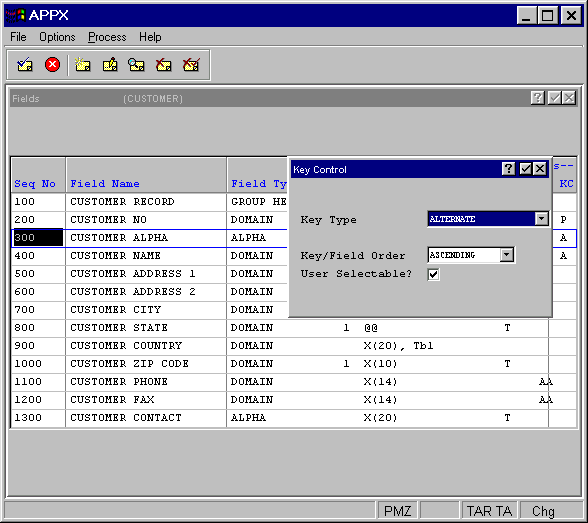
The fields Key Control overlay contains the following fields:
- Key Type
Indicates whether or not a field is a key field and, if yes, the type of key. A group trailer field cannot be a key field. The Key Type options can be scanned and consist of:
- PRIMARY
Key fields are the default key paths for a file. APPX requires one (and only one) primary key for each indexed file. All records can be accessed by a primary key path (must be unique).
- ALTERNATE
Key fields optionally provide alternative key paths to a file. Duplicate values and up to 16 alternate keys are permitted in APPX.
- ALTERNATE/UNIQUE
Key fields optionally provide alternative key paths to a file. Duplicate values are not allowed.
- ALTERNATE/FORCED
Key fields are the same as ALTERNATE key fields except that duplicate keys are retreived in primary key order.
- The default is blank.
- Key/Field Order
Specifies the order of the key or key segment.
- User Selectable?
Determines whether or not a user can switch to a key path with the Select Access Path option from within an input process. The User Selectable? options are “yes”
 , a user can select the key path; or “no”
  where a user cannot select the key path. Its use is restricted to internal access (statements). The default is “yes”.