Chapter 2-2: Data Dictionary Concepts
Accessing the Data Dictionary Documentation Screens
Documentation is an integral part of the APPX data dictionary. You access:
- User and technical documentation
For any domain, file, field, or work field in the dictionary by selecting Option 1 on a component’s Toolbox screen. Option 1 accesses the Documentation overlay, from which you can access the User and Technical Documentation screens.
- In addition, if you are set up as an application designer or documentation designer in system administration, you can modify the user help text from the Help facility by selecting change (CHG) mode.
- The external copy of a documentation record
By selecting an option on a component’s User or Technical Documentation screens.
To access the common Documentation overlay, shown in Figure 2-2-5, you select toolbox from the Domains, Files/Fields, Fields, and Work Fields screens and then documentation from the Toolbox overlay. Upon completion, you are returned to the screen from which you selected the option.
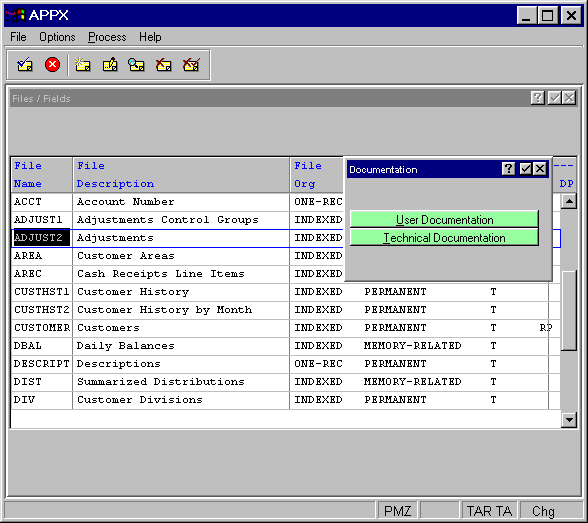
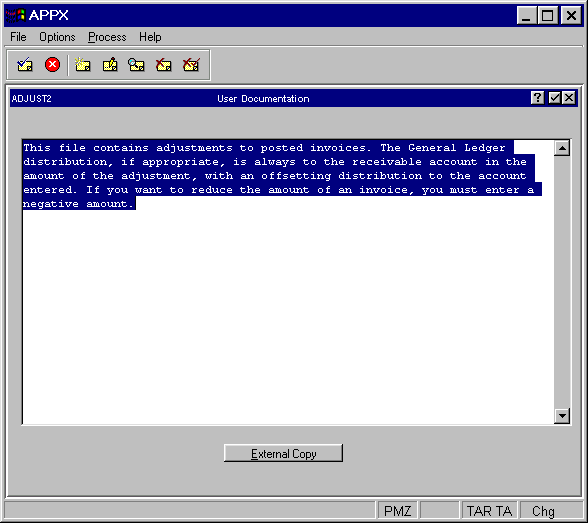
Figure 2-2-6 shows the User Documentation screen. Upon completion, you are returned to the Documentation overlay, where you can access the Technical Documentation screen.
User Documentation screen