
Chapter 3-15: Using the GUI Image Editor
Painting Lines and Boxes
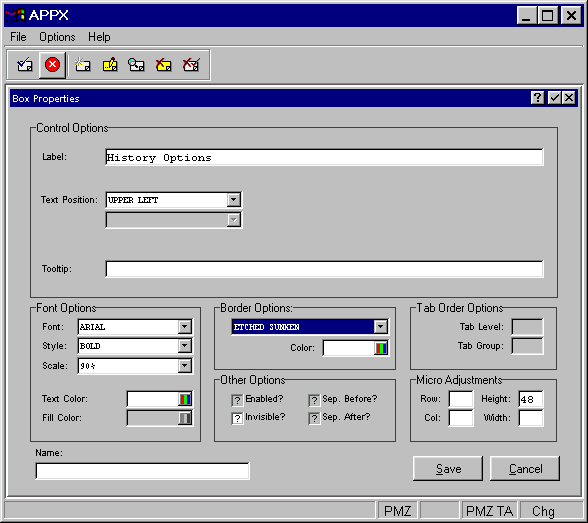
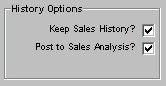
After selecting the region in which you want your line or box to appear, the Box Properties overlay shown in Figure 3-15-13 appears. This example defines the "History Options" box.
Control Options
- Label
To define any text to appear as a box title.
- Text Position
Indicates where the text should appear inside the box. Click the list
 button for a drop-down list of selections that include CENTER, TOP, RIGHT, BOTTOM, LEFT, UPPER RIGHT, UPPER LEFT, LOWER RIGHT and LOWER LEFT.
- Tooltip
To define online instructions available to users via the help option icon.
All other options (Font, Border, and Other, Micro Adjustments, and Name) fields are the same as in the Paint a Button section. Please refer to that section for details. Remember to select the save option to save your definition before returning to the Image Editor.