
Chapter 4-5: The Debugger
Data Values Area
The data values area displays the current values for any fields that are specified in the statement that is currently highlighted in the debugging area. The highlighted statement has not yet executed, so the values reflect the last statement executed. If the current statement has no specified fields, this area is blank.
The data area may look as follows, as shown below:
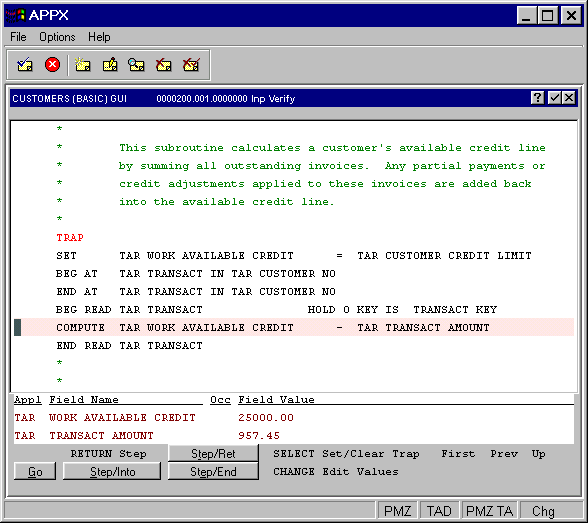
Data Area of a Debugger Screen
If the highlighted statement specifies only one field, the other field name and value will be blank.
For statements such as TRAP that have no field references at all, both field names and values are blank.