
Chapter 2-3: Domains
Text Domain Additional Attributes
From the Text domain overlay, you have an Additional Attributesoption. The Text domain Additional Attributes overlay is shown below.
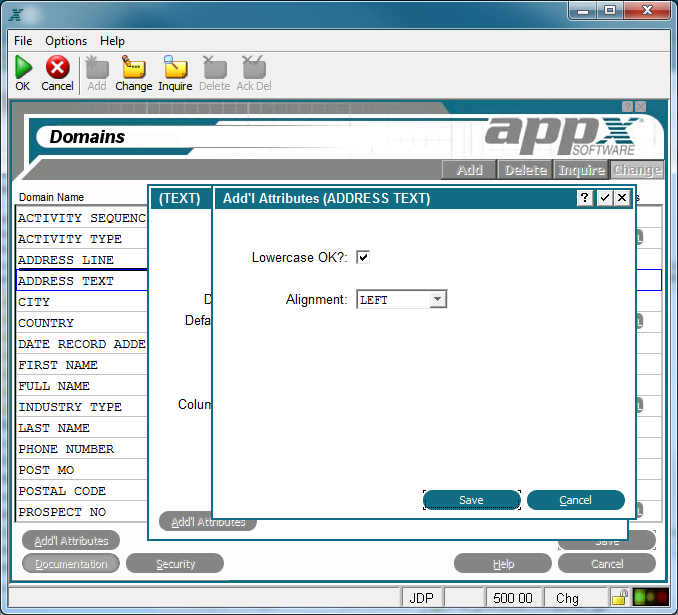
The Text Domain Additional Attributes Overlay
The Text Domain Additional Attributes Overlay contains the following fields:
Lowercase OK? indicates whether or not a modifiable item on an interactive screen can be entered in lowercase letters. If 'no'  , the entry is stored and displayed exclusively as uppercase, regardless of how a user enters the information. A lowercase value established with a statement displays as lowercase, even if this specification prohibits it. The default is 'yes'
  .
.
Alignment determines the alignment of data in a field. The Alignment options are NONE, LEFT, JUSTIFIED, RIGHT and CENTERED. This effects the display and storage. The default is NONE.