
Chapter 3-14: Using the Character Based Image Editor
Control Cursor Position Option
The control cursor position option from the Image Editor, for input or menu images only, calls an overlay containing specifications to control cursor positioning when such images display to a user. The Control Cursor Position overlay is shown in Figure 3-14-5:
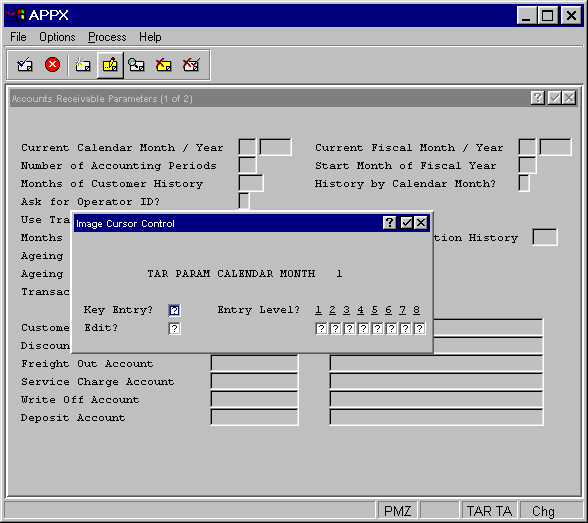
The Cursor Control Position overlay contains the following fields:
- Key Entry?
Indicates whether or not the cursor is to be positioned on this field during key entry. The default is “unknown”
 . Click the checkbox to toggle between “yes”
  and “no”
  .
.- Edit?
Indicates whether or not the cursor is to be positioned on this field during data modification. The default is “unknown”
.- Entry Level?
Indicates, for entry levels 0 through 8, whether or not the cursor is to be positioned on this field at that entry level. The default is “unknown”.