
Field Overrides
If you do not want to use the APPX assigned data types you can override them using Field Overrides. For example, if you are mapping an APPX Data Dictionary over an existing RDBMS table, you will have to use the existing data types. Field Overrides are accessed from Data File Management, File Specifications: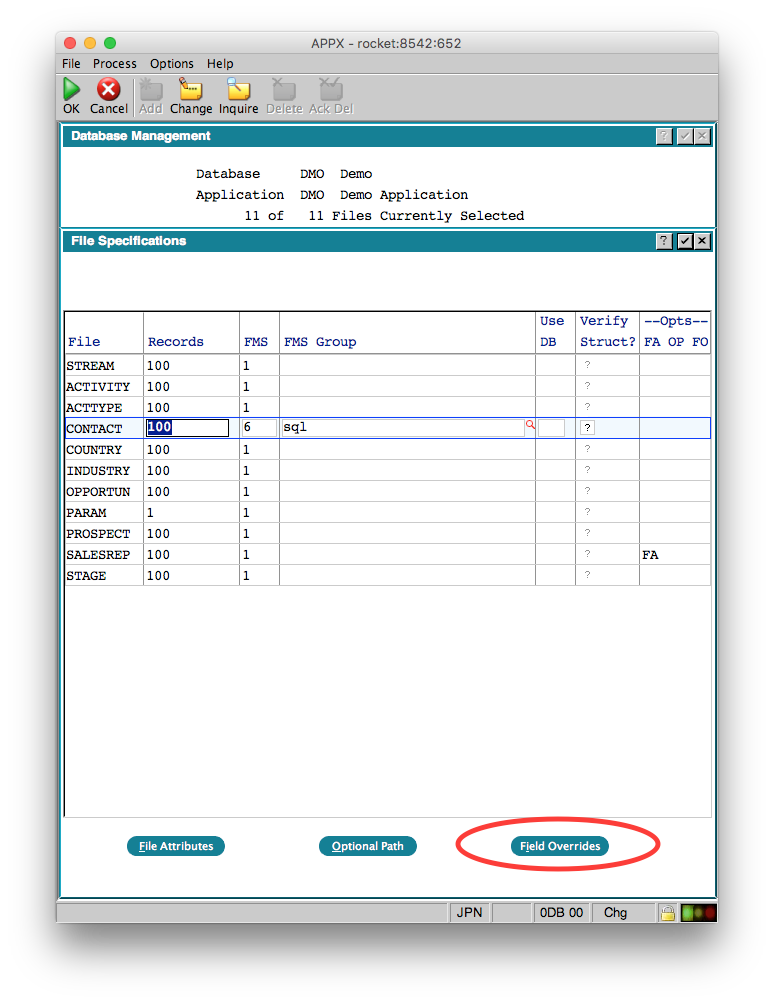 When you click the button, you will get a list of the fields in the selected file:
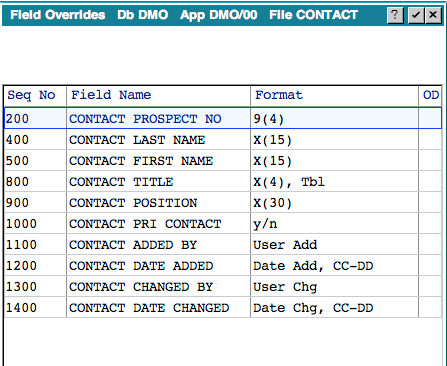 Select the field you want to override and Press Enter:
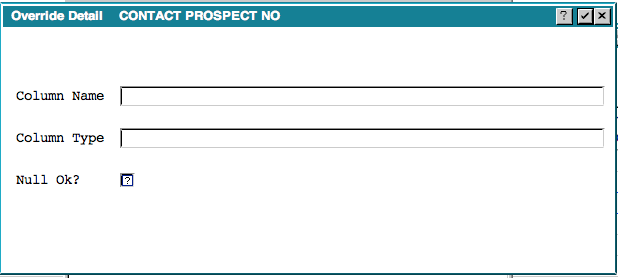 Here you can override the APPX assigned column name, the data type or whether nulls are allowed or not.
IMPORTANT: If you are changing an existing file, you should export the data first, make your changes, them import the data
Edit | Attach | Print version | History: r2 < r1 | Backlinks | View wiki text | Edit wiki text | More topic actions
Topic revision: r2 - 08 Jan 2016, JeanNeron
- This page was cached on 20 Oct 2026 - 03:50.


 APPX
Powered by Foswiki. Wiki content belongs to its contributing authors.